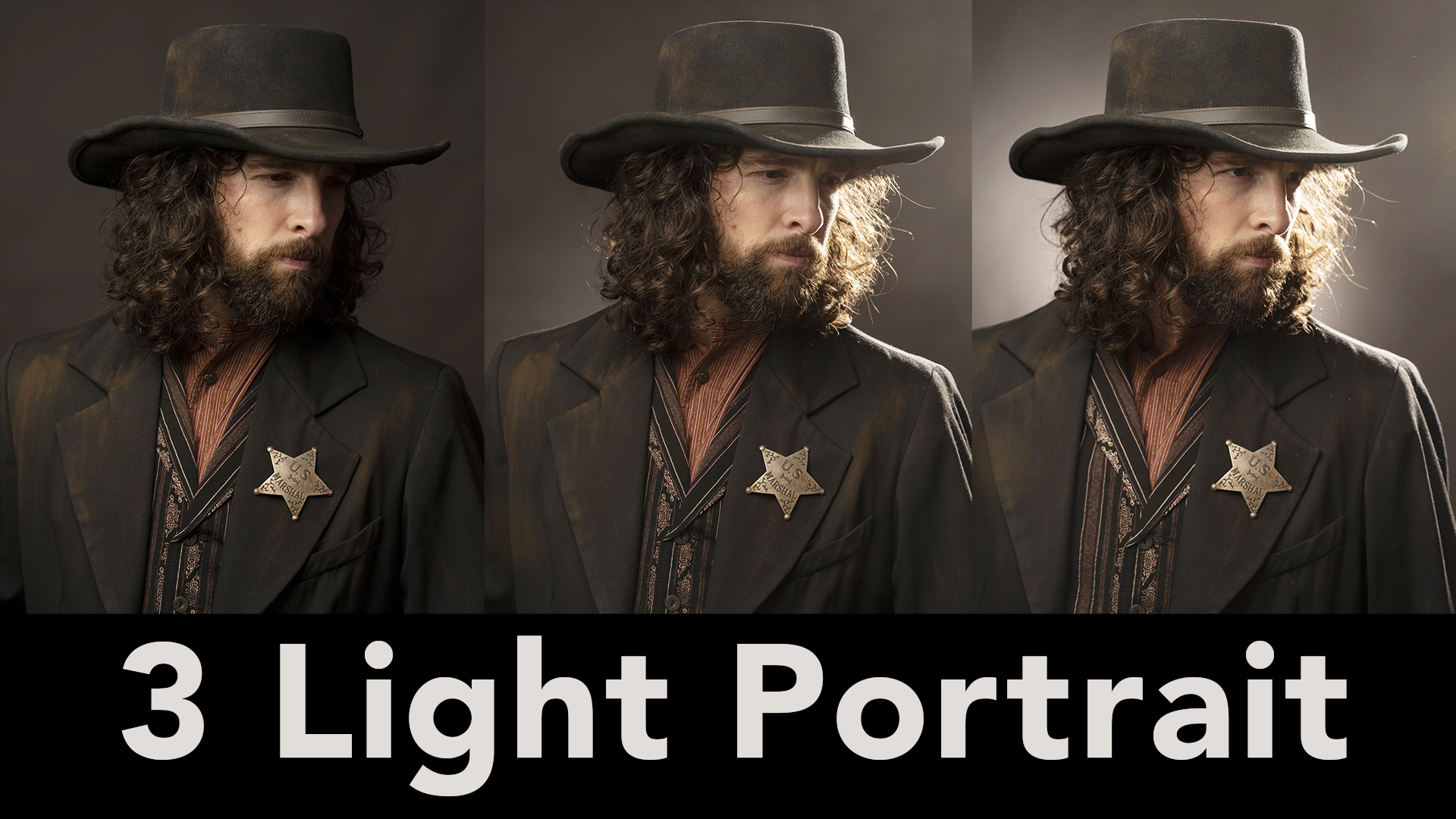
(If you want to watch the video go to The Slanted Lens on YouTube!)
What’s a three light setup? Most people don’t understand it, but it’s a foundation for all portraiture. If you don’t understand it, you can’t do good portraiture. Let’s take a look at a three light setup. A key light, a rim light, and a background light. 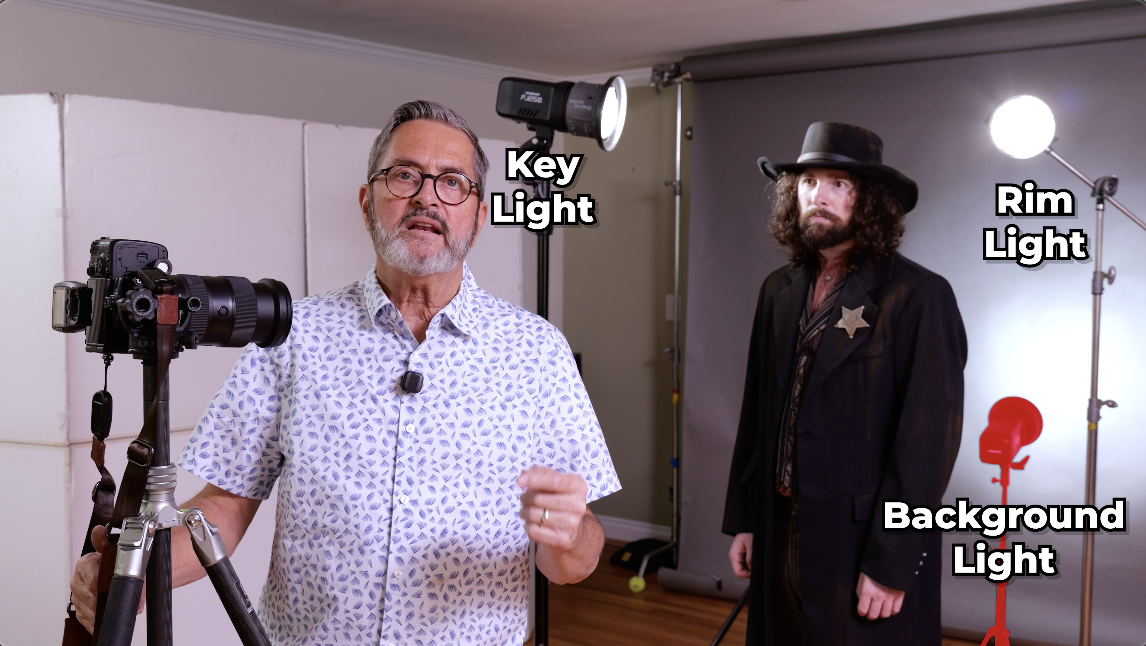 I’ve got Steve here with us today. We’re going to look at what each of those lights do, why we would set them, why we would use them rather than just throwing them up and hoping something’s going to happen.
 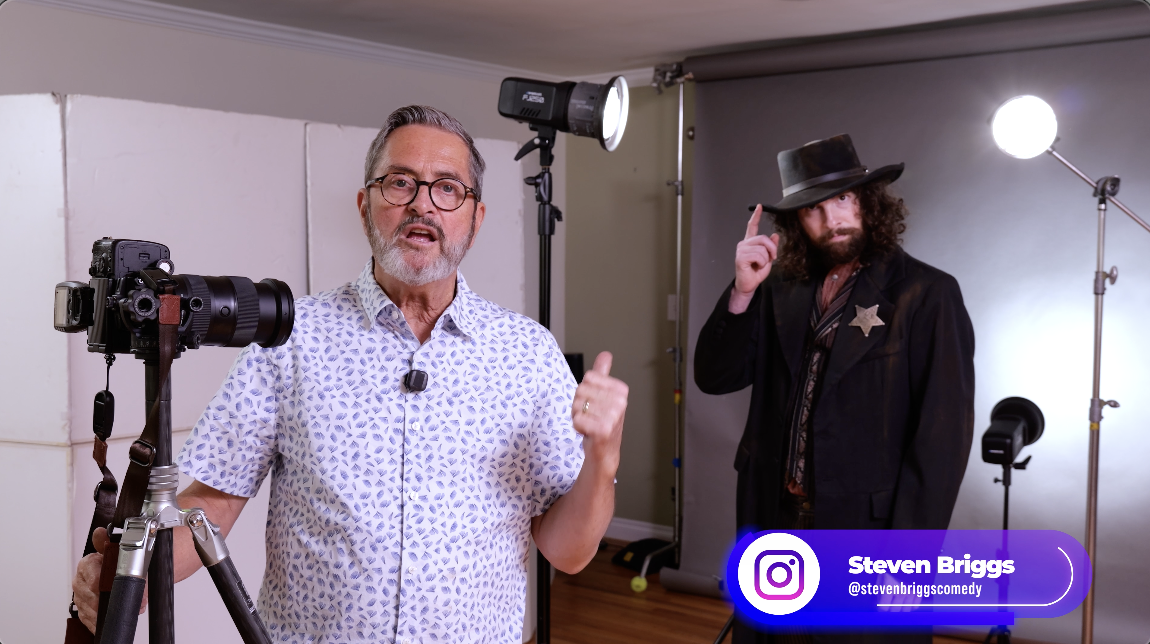 Let’s take a look at how to set up a really good three light setup.
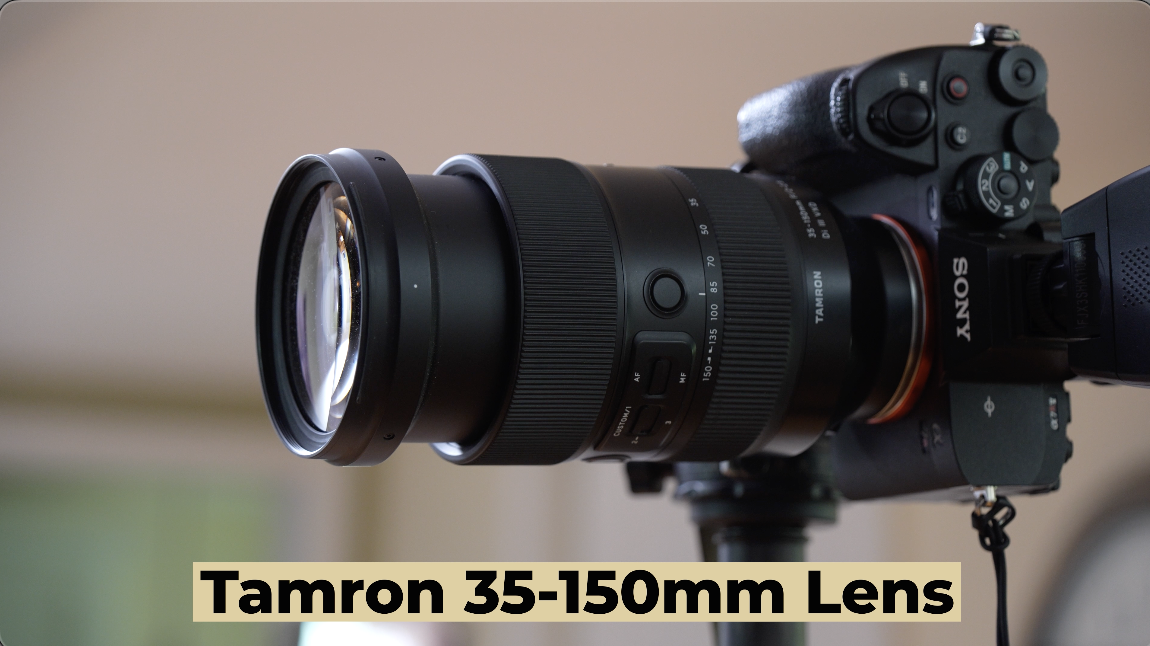 I’m shooting with the Tamron 35-150mm lens. I use this lens a lot when I do portraiture because I’ve got a great range from like 85mm to 110mm or 120mm. It just gives me a great kind of head shot, tight shot, but I can also go back to like 75mm and get a little more of a full body or even a little wider if I need to. Wonderful Tamron lens, that 35-150mm.
 Westcott is our sponsor here today. We’re going to be using the FJ400 II’s and the FJ250’s. So, let’s take a look at this portrait using the Westcott strobes.
So, the first light we’re going to set is the key light. The key light really is the defining light on the face. I start with one of the five portrait lighting positions because that’s just a natural place for the face. 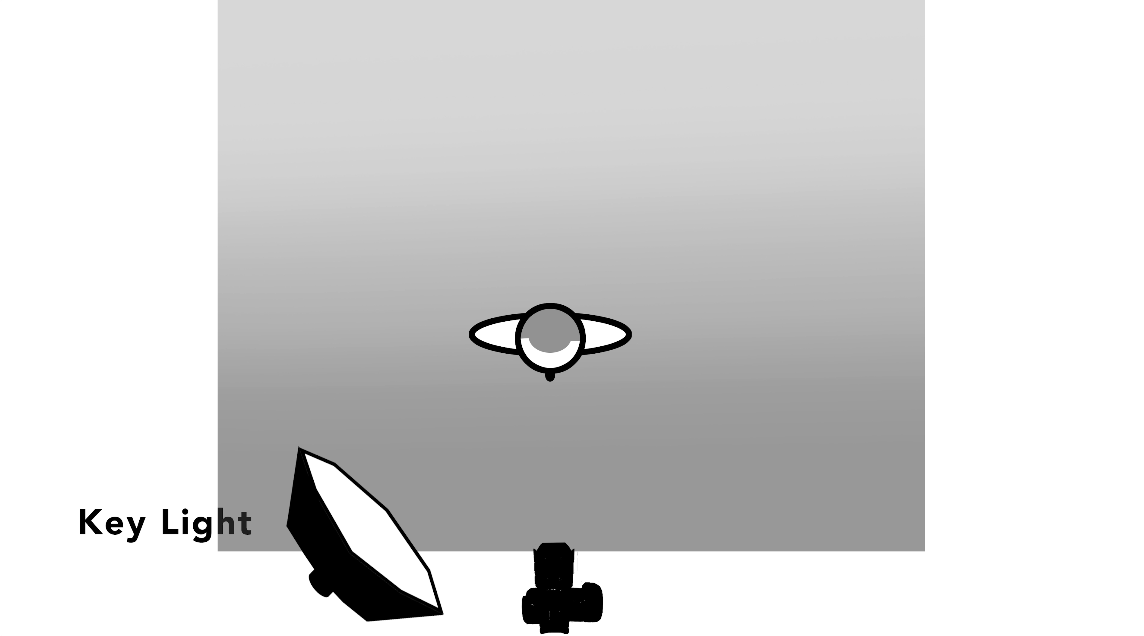 You should look at our video to understand the five portrait lighting positions. Those positions were really vetted and understood by early painters. They would put a person next to the window. The light would fall on the face, the way the shadow would fall off the nose. It became a defining light on the person.
 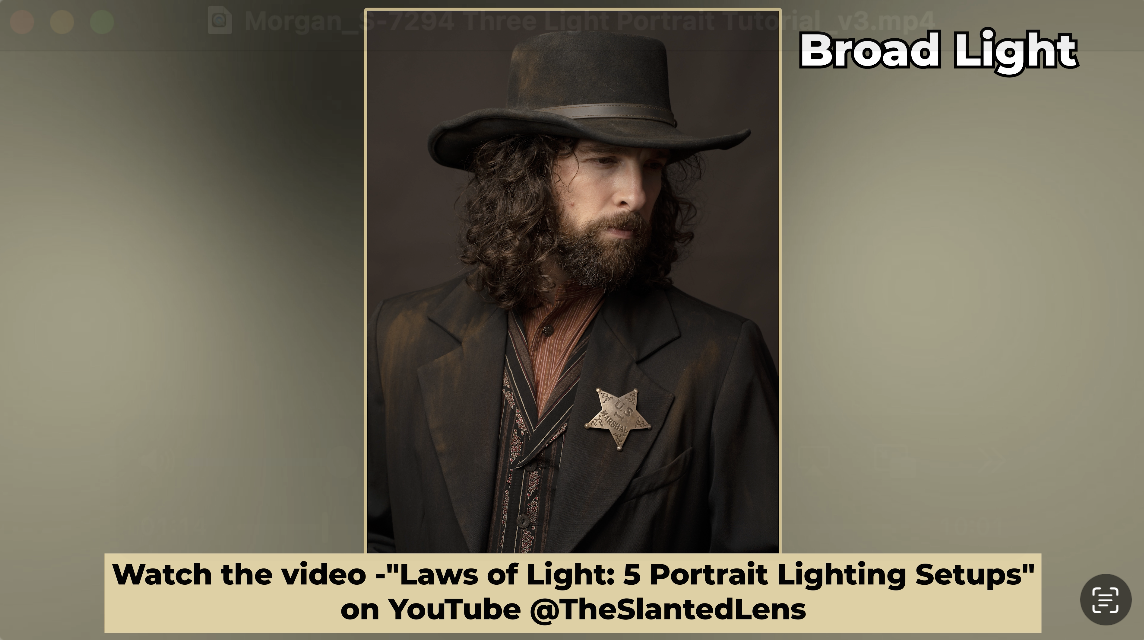 Rembrandt really did, he is very moody. Other painters would turn the person into the window and make that light really bright. It’s really going to define the mood. Is it moody? Is it going to be more open and bright? Is it going to be somewhere in between? It’s the defining light on the face. It tells us how much we want to see of the face.And that helps to create the mood of the image and the portrait. It also gives us a nice highlight in the eye, which is so beautiful. It really brings the portrait alive. It makes it worth looking at and draws people in. So, let’s take a look at several images with just a single light, the key light in one of those five portrait lighting positions rolling into some really moody kinds of shots.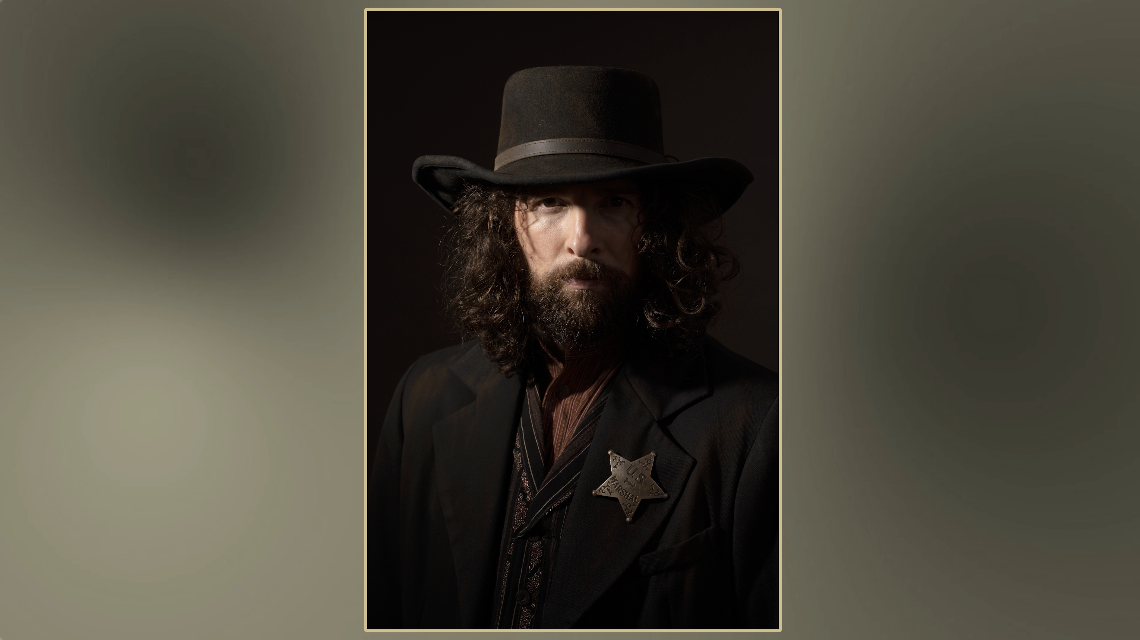
The second light we’re going to set is the rim light. Why do we set a rim light? Well, when we set a key light on the camera left side, it brightens the face on the camera left side. But now the right side of the face falls into dark and disappears into the background. We put a rim light on the opposite side. 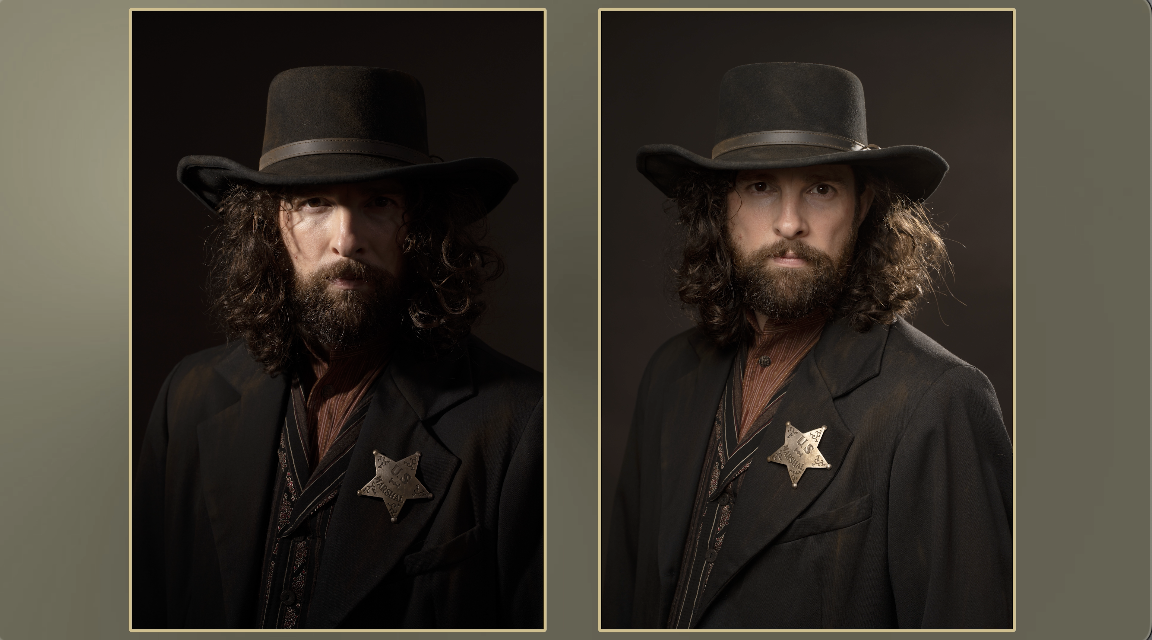 It gives us a little sliver of light around the hair, around the clothing, and it separates our subject from the background. Use a rim light to separate your subject from the background. Use a rim light to create interest. It really looks more cinematic as you get that really beautiful little rim light on the the person’s hair, on their body.
 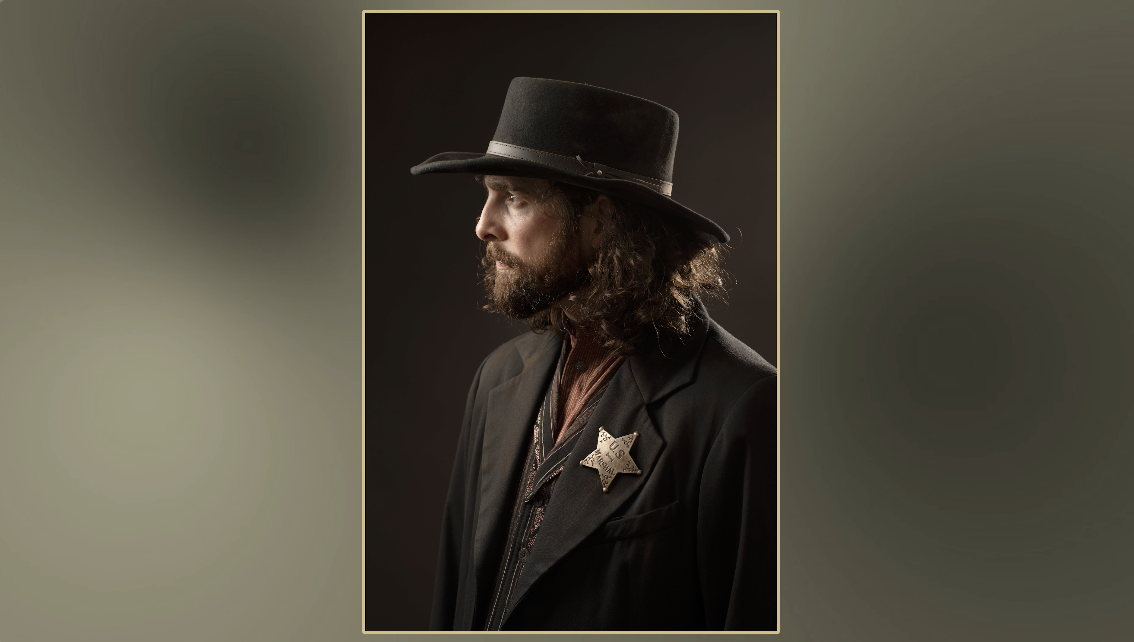 You also use it to reinforce what you started with your key light. If a key light is open and fun and meant to be airy, then that rim light can add to that. It can be a little brighter. It can be more around the entire person. But if the key light is a lot more, kind of focused and more moody, then that rim light wants to be very moody. It wants to be smaller, not as bright. And it just gives you subtle information into that shadow side of the face and the body. We’re trying to take a three-dimensional world and put it into a two-dimensional experience. And so that rim light helps to give us some depth, creates depth and interest. It also creates incredible texture. Anytime you have a light from behind, as it rakes across the clothing, it just gives us beautiful texture in all of the clothing, whether you know, whatever they’re wearing, you’re going to see that texture. It’s going to be texture in the hair. It’s going to give us beautiful texture. Any light from behind because it throws shadows towards the camera is now going to create texture because we’re looking into those shadows. We see the highlight, we roll into the shadow, and that creates beautiful texture. So, a rim light, a good rim light is going to create just wonderful texture in the background.
 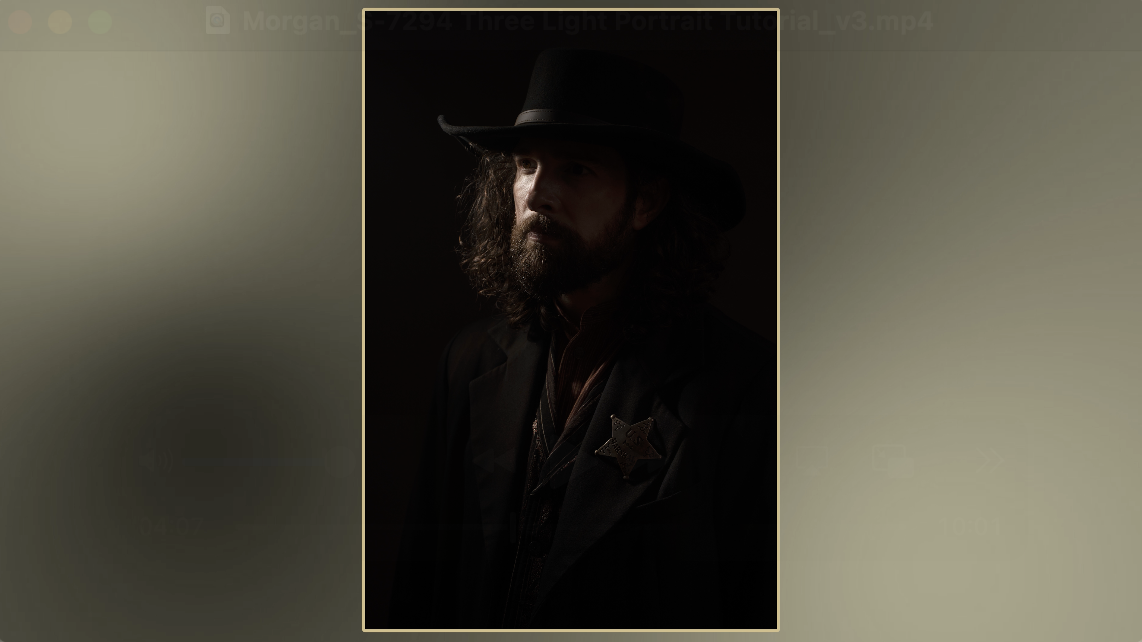 It’s going to help us avoid that floating black head. Just like you have a single light and the head’s kind of floating. Especially got Steve here in this darker outfit. He’s going to need something to separate him from that background, that darker background, so it doesn’t just become, you know, his head floating on that dark black background. So, if you set the key light on the right side of the camera, then you’re going to put the rim on the left side. If you set the key light on the left side of the camera, you’ll put the rim on the opposite side. The rim is meant to separate the shadow side of the face or the subject from the background.
 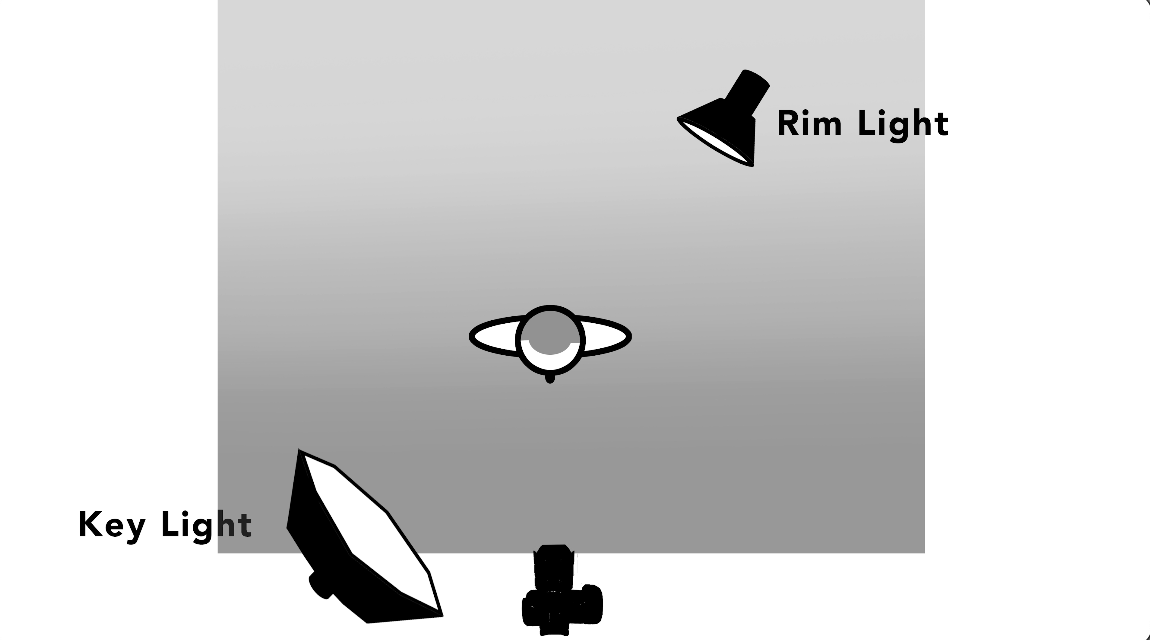 So, you always put it on the opposite side of the key light. I also like mine on a small boom so I can get it over top of the person and allow me to rim more of their body, whether it’s shoulder, hat, hair, I can see rim more of that. If I put it on a straight up stand in the corner, it flares into the camera a lot of times.
 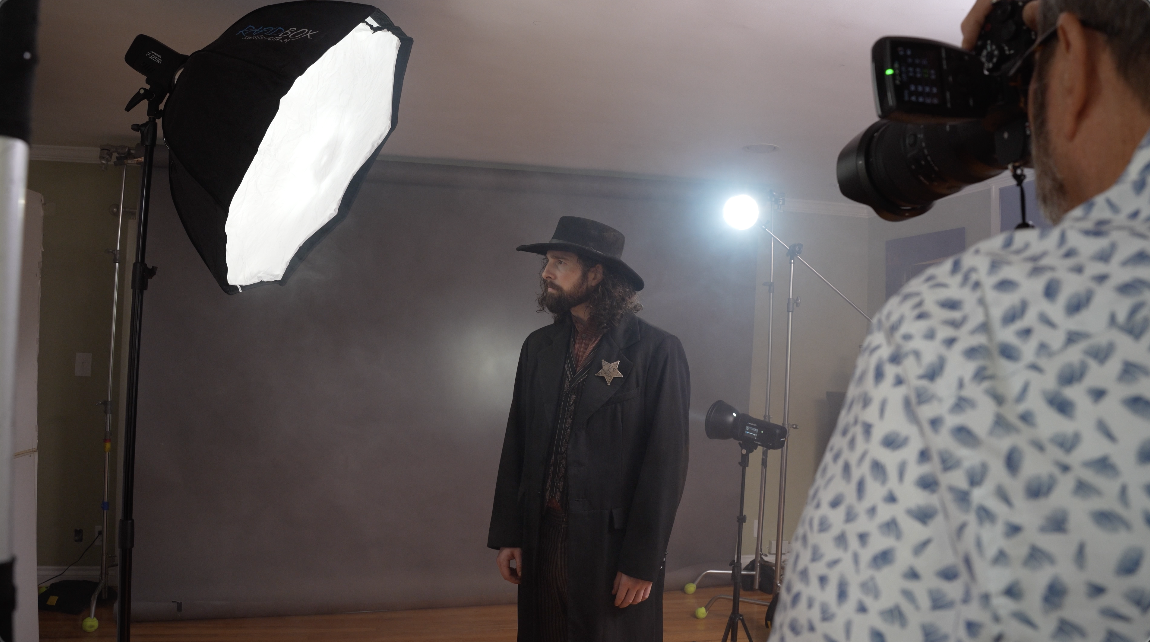 Or I can only get a deep kind of rim light on the body lower. I can’t get it up on the top where I really want it to be. So, getting that rim light on a small boom allows it to rim the body and to be in the correct place. So, taking the time to set it up on a small C-stand is going to be a lot more effective.
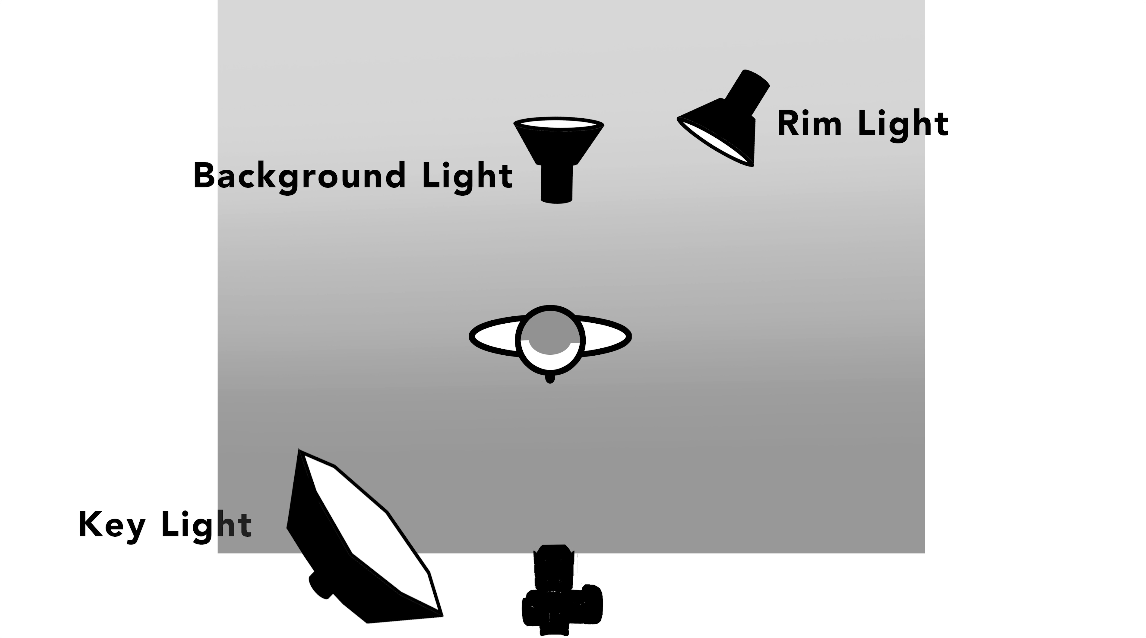 The next light we’re going to set is the background light. This background light is meant to create separation. It’s the light that’s going to give us the most depth in the scene. Now, we want to light the background separate from our foreground. So, we’ve got to have our person far enough away from the background so that we can have a light on the background that doesn’t bounce light onto our person or light on the person that doesn’t light our background.
 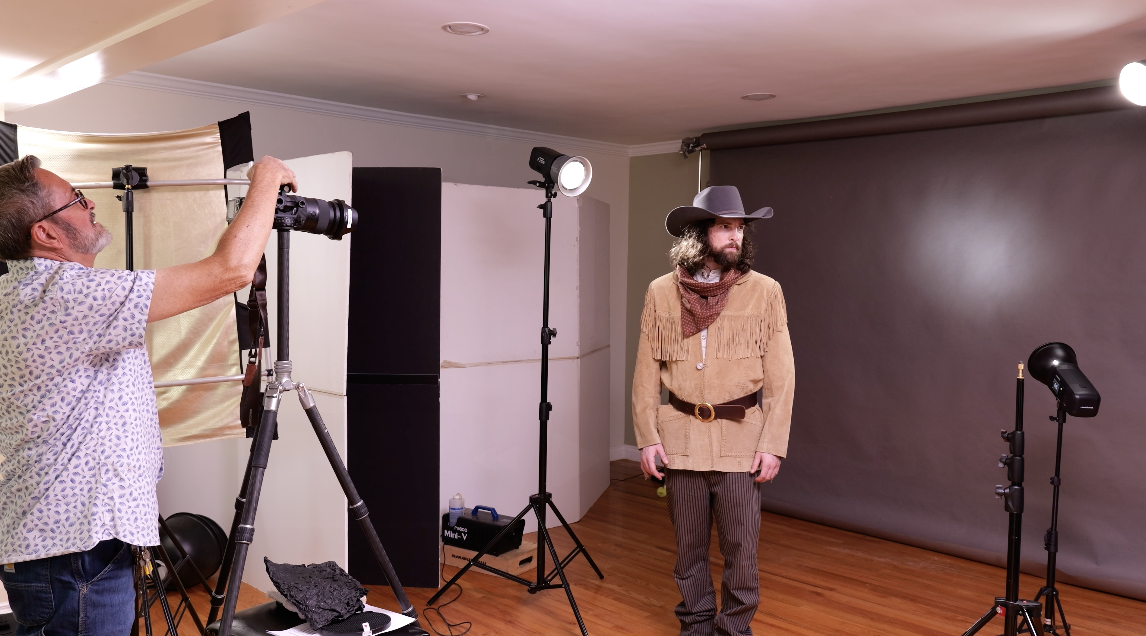 So, you got to have 6 to 8 ft between the person and the background. That gives you complete creative control of the light on those two surfaces. Light the person, light the background, get great depth. This really is the light that gives you the most depth in the image because you have your person up front and you see that kind of glow in the background.
 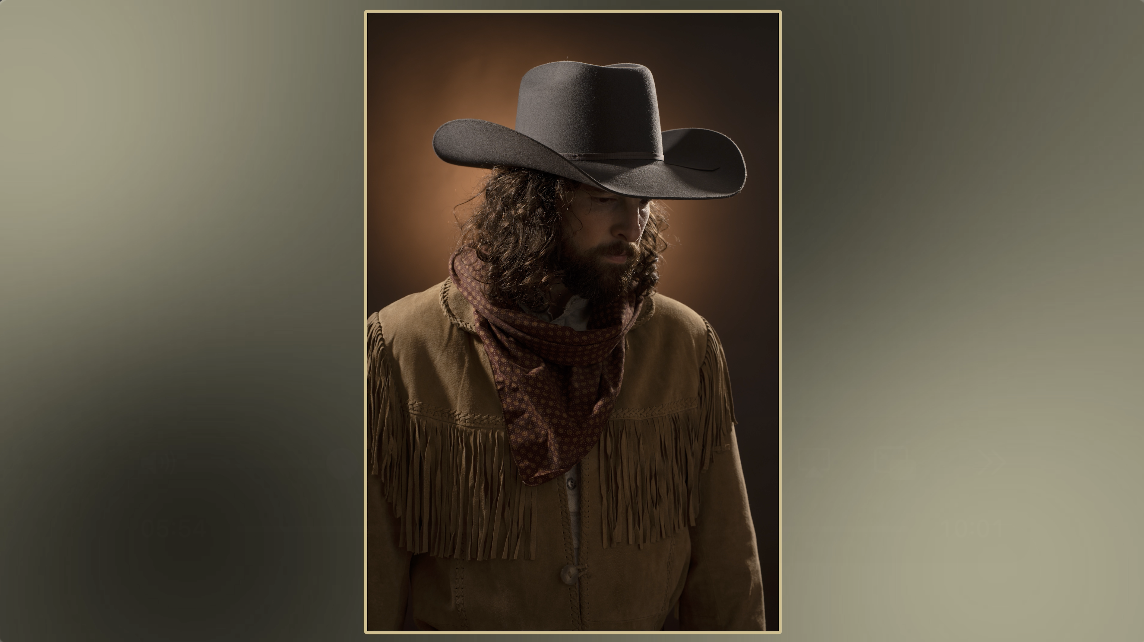 It gives the image depth. It pulls you in. It’s going to create a lot of visual interest.
 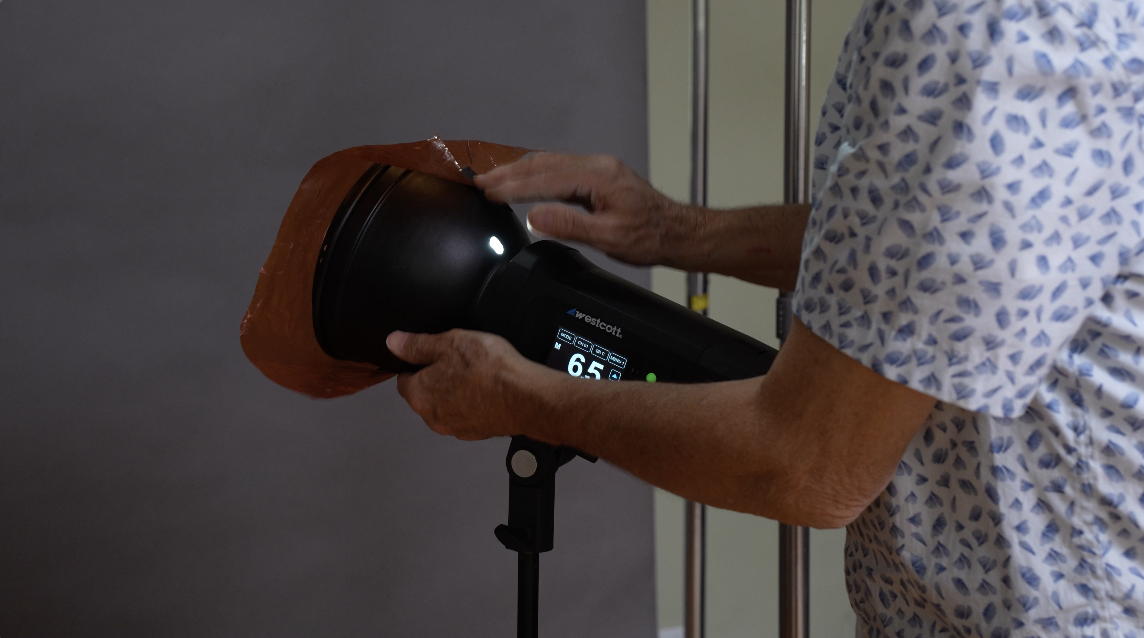 You can change the color of it. You can change the quality of the background. You can put it behind the person. You can put it to the side of the person. You can bounce it into a flat.
 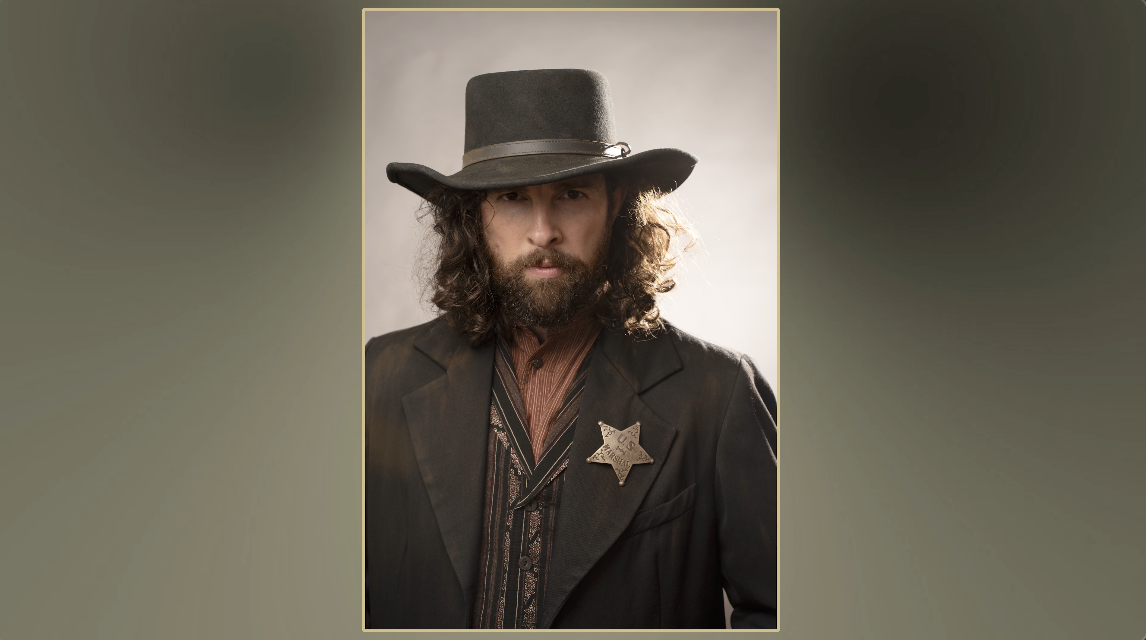 You can overexpose it so a gray background becomes white. You can underexpose it so a gray background becomes black.
 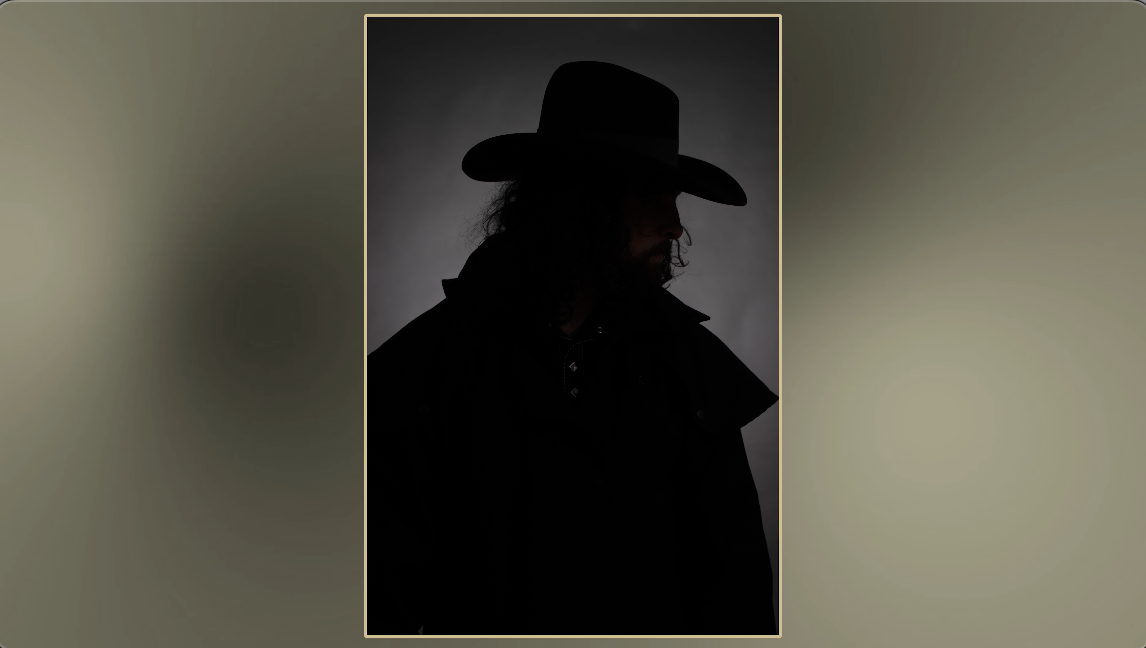 Because you’re lighting your subject and your background separately, it’s easy to control the background and to control whether it’s bright or dark. And that’s going to help to add to the portrait that you’ve created with that key light and the rim light. You can now emphasize that with what you do in the background.
 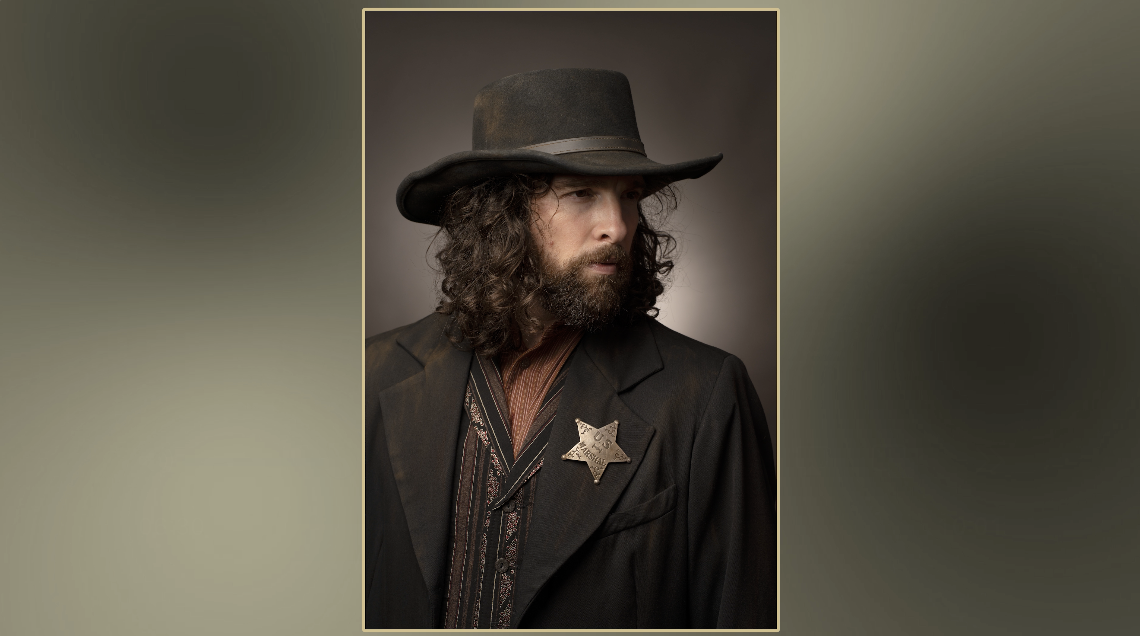 In a lot of situations, that third light, people choose to use a spot or a grid or a snoot to just get a nice glow right around the head and to give that separation that just gives you a subtle separation from the person to the background. This can be subtle, just a little bit of gray that gives you separation. It can be really obvious. It really brightens up and creates a lot of depth. And so, it really is up to you and how you choose to use these three lights together.
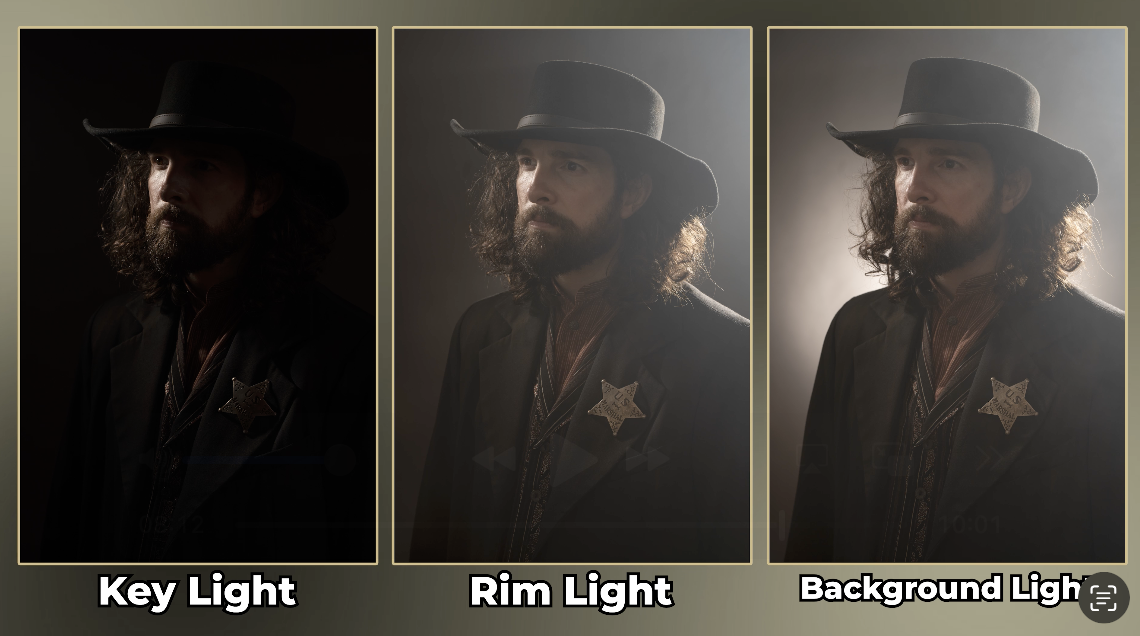 Any three lights, if you make 20, if you change each light 20 different ways, that’s 8,000 options, which means there is just infinite number of options because you can change a single light way more than 20 different ways. And so it just gives you the ability to create endless number of portraits. You can also add gels for color and mood so you get more depth. Sometimes a nice blue in the background makes that background kind of push away from you, recede, and it feels like there’s more depth to the image. You can add warmth in the background that makes that background come forward. And that warmth can help to emphasize the color palette of the wardrobe that you chose for your person, which sets a tone for the portrait. So the background can become something that emphasizes the color palette that you have or it can be something that really creates depth and really goes kind of against the color palette of your portrait. It can be something that gives you some tension there color-wise. It can be something that gives you, makes it very moody or very open. That background gives you complete control, the final kind of control of the portrait as it recedes or comes forward as you set that light in so many different ways. Background light is super important. Here’s some lighting buildups of three light portraits. Key light, rim light, background.
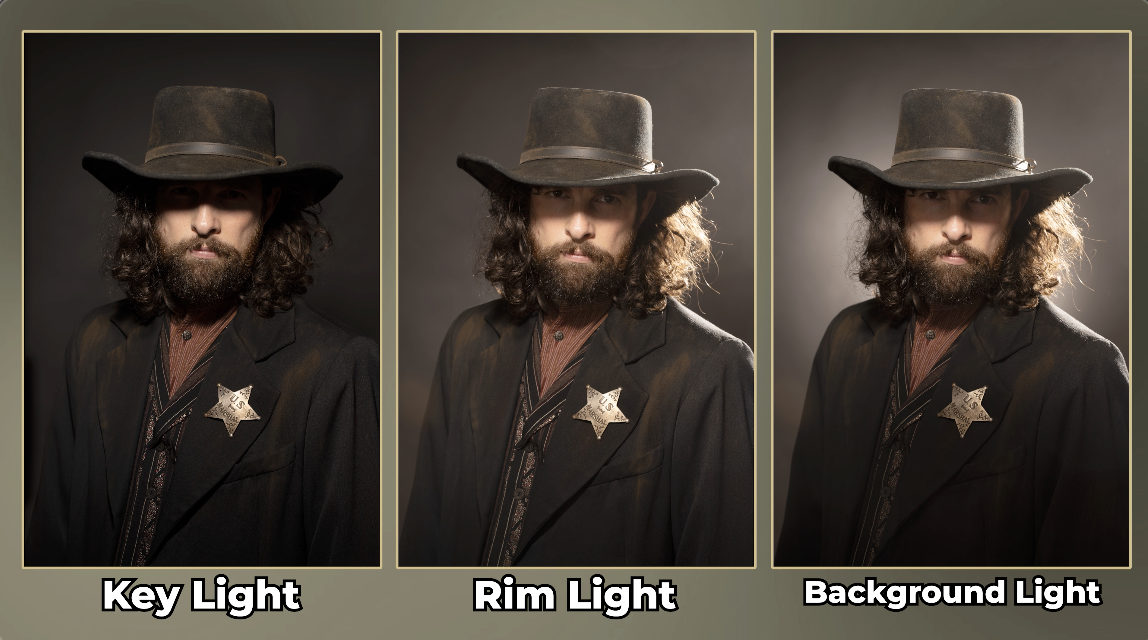 A background light can get rid of unwanted shadows that kind of fall onto the background from your subject matter. But if they do, you probably have the person too close to the background. But if you put the person too close to the background and you have a shadow on the background and you put a bright light on the background to get rid of that shadow, it will help, but it still won’t look good. So don’t put the person too close to the background. Get them out there so you can light them separate.
So let’s wrap this up. Steve, you’ve done a great job. Which of these lights did you like the most? You know, I got to say I think I like the rim light the best. You do? Yeah. That light from behind. I like the light from behind, you know. You know, it makes me feel like that song’s like I always feel like somebody’s watching me. That’s awesome. Well, there you go. Rim light. It’s a beautiful light.
So, each one of those lights does a different thing. The key light defines a face. The rim light separates us from the background, gives us depth, and then the background light gives us that deep depth that we can use color on or intensity. Those three lights together create a beautiful three light portrait. And there’s just thousands of different options in how we combine those three lights together to create a beautiful portrait. If you have three lights, you can do a lot of things. You really can. Also, check out Westcott. Go to our website, check out the Westcott deals we have there. Those are just a great battery portable platform. We use them all the time here at The Slanted Lens. We absolutely love them. So, you keep those cameras rollin’ and keep on clickin’!
