
(If you want to watch the video go to The Slanted Lens on YouTube!)
Shutter priority is a waste of time. I am not sure why cameras even have this option. When I hear people talk about shutter priority, they don’t explain to you why it doesn’t work. They tell you what it does, but they don’t tell you why it doesn’t work. So, let’s take a look at why not to use shutter priority and what is a better option. So, let’s get started. See what we can do.
First, here’s why not to use it for stills. And then later in the video, I’ll talk about why not to use it for video. First off, what does a shutter do? A shutter controls motion. It stops motion or it allows you to show blur, give you motion in your images. That’s what the shutter does.  So, what does shutter priority do? It allows you to choose the shutter you want. 1/4,000th of a second if you want to stop action or 1/5th of a second if you want a blurring waterfall. It allows you to choose that.
 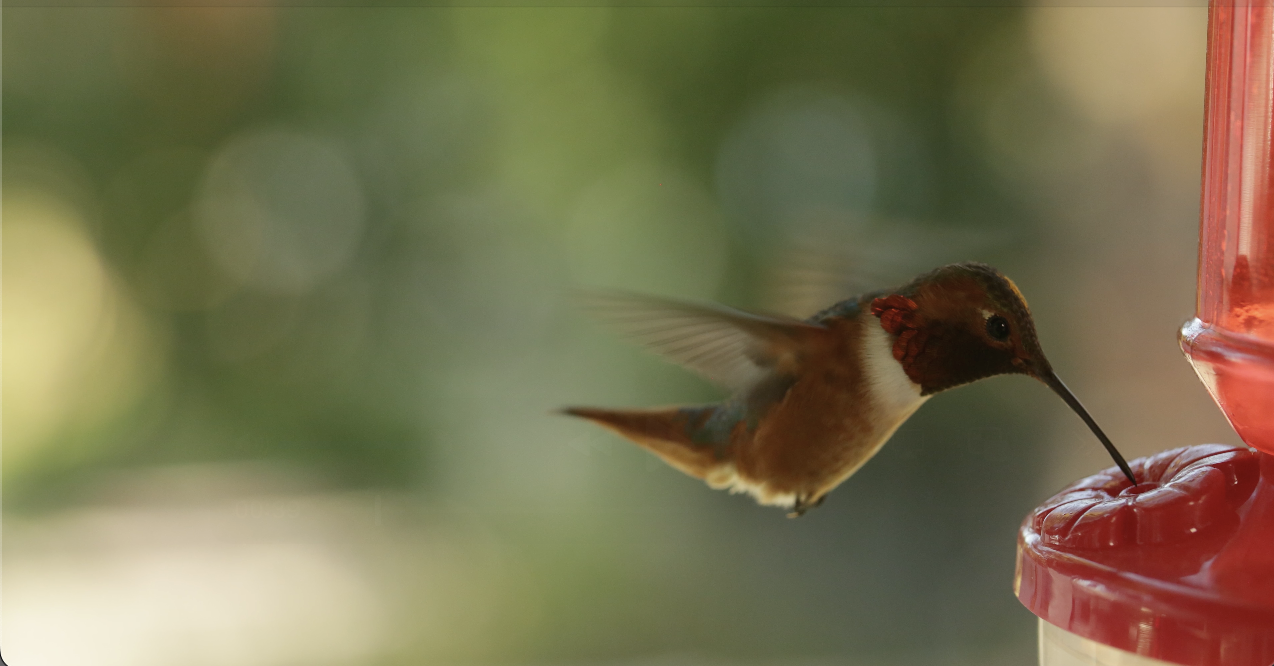 And then the camera chooses whatever aperture is going to give you a correct exposure depending on the ISO that you set. The problem with that process is you choose the shutter, it chooses the aperture. You’ve now lost creative control of your image. You may want a shallow depth of field because you want the background to fall out of focus, but the shutter is saying, “Well, we’re in bright sunlight here. I’m going to give you f/11 or f/16.” That’s what you get.
  Now, your subject is not going to stand out from the background because everything’s in focus. But when you can use shallow depth of field, it allows that subject matter to stand out from the background because the background falls out of focus. One of the most beautiful looking imagery you can create is using a shallow depth of field.
Or maybe you’re shooting a waterfall and you’re going, “You know what, I really want a deep depth of field because I want the rocks in the foreground and some of the rings in the water in the foreground, but I want a really blurry, beautiful waterfall in the background.  So, I’m going to do a 1/15th of a second.” But the camera is saying, “Well, it’s kind of late in the day here, so we’re going to have to give you f/2.8”, which means you’re going to have no depth of field. You’re not going to be able to hold the rocks in the foreground, and now you’ve lost complete creative control of your image. The camera’s deciding what’s best for you. If I choose to set my shutter at 1/4,000 of a second because I want to freeze action while I’m doing a sports shot.
  Then, if I’m in shutter priority mode, it’s going to give me whatever aperture it has to to give a correct exposure. If it’s a bright sunny day, it’s going to give me f/11, which means my athletes and the background are all going to be in focus. I don’t get that separation you get when you’ve got in focus athletes and the background falls out of focus.
  I get a busy image where my subject matter does not stand out. So, a lot of people tell me, well, the solution to this is you use auto ISO. The problem with that is you’ve just compounded your problem. Now, the camera is choosing the aperture for you. You don’t know if it’s f/11, everything’s in focus. Still get a nice out of focus background or f/2.8 or you don’t know if your ISO is 12,500 or if it’s 200. So everything’s all over the place. You have images that are too noisy or too much depth of field or not enough depth of field. You’ve lost complete control.
Which brings me to my underlying principle when it comes to auto modes on camera. And it’s not that I don’t like auto modes on camera because I do. I shoot in them all the time. It’s just not artistically successful when you allow the camera to choose two of the exposure triangle. So, my rule of thumb always is you only allow the camera to control one of the exposure triangle. When you allow it to control two, you’re now in trouble. You really have no control over the creative look of your images any longer. The camera’s making all the decisions for you. You just as well put it on P, which is for pitiful, and you’ll get whatever image the camera spits out. So, for those reasons, no competent photographer I have ever met uses shutter priority. Absolutely no one. So, I’m not sure why it’s even on the camera.
So, how about video? I’ve had students say, “Why use shutter priority when I shoot video?” It makes no sense for video.  Let me tell you why. The shutter for video is always twice the frame rate. So, if you’re shooting at 24 frames a second, you’re going to shoot at about 1/50th of a second. Now, you could set your camera on shutter priority and just set it at 1/50th of a second. Now, it’ll just give you whatever is a correct exposure. If you’re at inside, outside, wherever you’re at, it’s going to give you a correct exposure. So, why not use shutter priority if you’re doing video? It makes sense, doesn’t it? Your shutter is always twice the frame rate. It’s set. There you go. The problem with that is as you walk around, as people cross the frame, as you look out a window into the room, your exposure is changing all the time. It’s going from really bright to really dark to a subtle change because someone walked through in a white shirt. It’s just changing constantly. It looks very, very amateur. It looks like old video shot on a camcorder where you didn’t have any control. You don’t want your video to look like that. So, shutter priority in video mode just does not work. I would much rather have a scene where the camera pans into dark and then into light and we see and just enjoy the difference of the light in the scene rather than seeing it open up and then close down and all of a sudden it just becomes so obvious you’re using a camera. It just betrays the camera. It feels like it completely loses the sense of the scene. So shutter priority for video, it does not work.
So now let’s talk about what auto modes do work when you’re shooting stills and video. First, for stills. If you’re doing sports photography, this is where you want to freeze the action, but you want a shallow depth of field. So, what do you do? You choose like 1/4,000 of a second, f/2.8.  Now, you’ve got a fast shutter. You’ve got a shallow depth of field. And what do you do to be able to get an exposure while shooting as you change the light? You go to an auto ISO. Now, your ISO is going to jump up and down, up and down. With the De-noise capabilities, AI De-noise in Lightroom and in Photoshop, you can clean up something that gets way up into the ISO range.
  You’re better off to have a high ISO, a little bit of digital noise, but have a frozen sharp image of the action with a shallow depth of field so your athletes stand out and it just looks fabulous. So using auto ISO and your shutter and your aperture set on manual, that’s the best way to go for sports.
So, if I’m going to shoot a waterfall, what auto mode would I use? I wouldn’t use one. I would shoot on manual. I know the shutter I want. I know the aperture that I would like because I want a little more depth of field. And I try to keep my ISO around 100.  Now, the situation is going to change. It’s going to be fluid. I may have to go to f/16. I may have to go down to f/8. I may have to focus stack where I take two or three images to keep everything in focus. But I’m just not going to push my ISO super high if I’m trying to do beautiful kind of painterly landscapes.
  I want really low noise and beautiful blurred water and everything in focus that I want. So, it means I may have to focus stack, but I’m going to shoot in manual and I’m going to have a tripod. Buy a tripod for crying out loud. I may have to push my ISO a little higher, but I try not to. I’ll probably resort to focus stacking before I’ll start pushing the ISO.
 Now, if I’m walking around shooting street portraits and I’m just shooting, running, gunning, and shooting, I shoot on aperture priority almost all of the time. That’s just how I work because I can choose my aperture. I may want a shallow depth of field. I may want a little more depth of field.
  I choose that and then I let the shutter fall where it will. I usually keep my ISO around 100, trying very hard to keep it there, but I’ll push it up to 200, or 400. I’m pretty comfortable in that range because of the De-noise capabilities. It’s not a problem. And I just kind of watch where that shutter is falling to make sure it’s going to be fast enough to be able to freeze action for me. I can walk and shoot in that all day long. It’s a wonderful way to work.
If I’m shooting a model outside and I’m not using strobes, I’m using a reflector and things, that’s exactly how I work. I’m going to choose that aperture. I’m going to let the shutter fall where it may and try to keep it as close to 100 ISO as I can. But remember, you got to keep an eye on that shutter because you don’t want it to get so slow you can’t handhold it. Although with all the stabilization these days, you can handhold some pretty slow shutters. But don’t risk it. Keep it pretty close to 1/60th to 1/125th if you can.
 If I’m shooting strobes, what auto mode do I use? None. I want complete control. I want to control my shutter because I’ve got to match that to my strobes. And that’s going to give me the control of the ambient light. I’m going to want to control my aperture. So, I’m going to up the power, lower the power so I can get the aperture, the depth of field that I want. And I try to keep the ISO as close to 100 as possible. If I go to auto ISO or auto shutter or auto aperture, it’s just going to become a mess. So, with strobes, I always shoot in manual.
For video, would I choose one of the auto modes on a camera? I really wouldn’t. I would shoot in manual. I’m going to set my shutter at twice my frame rate. I’m going to choose an aperture for my depth of field. And then I’m going to be in trouble a lot of the time because if I’m outside, it wants to give me f/16 at 1/25th of a second. It’s just way too, I can’t control that. I don’t want f/16.  So I need a set of ND filters. So that’s the auto mode for me. It’s an ND filter. It automatically controls the exposure as I roll that variable ND around and around and it makes it so everything looks just where I want it to be. So I shoot in manual, shutter twice the frame rate, the aperture I like and I use an ND set. I have three ND filters that we carry. I have a five stop variable, a three stop and a six stop.
  Now I can stack two of those or three of those. Variable always goes on and that’s how I set my exposure is with the variable. I’m at 1/50th of a second because I’m 24 frames a second. I want f/2.8 and it depends on what I’m looking at. I’ll move that variable to give me a correct exposure and then I shoot away. And when I pan, I’m not trying to change it. I let the light get a little brighter, a little darker. It’s very organic. It’s exactly how video should look, film should look, film looking like video, video looking like film. Film and video. Well, whatever. You know what I mean.
So, let’s wrap this up. Why is there a shutter priority on your camera? I have no idea. It’s completely worthless. If you think there’s a time when shutter priority is really useful and gives you complete control, I want to know what it is. Because if there is a time I have missed it. So, put it in the comments below. I really want to hear from you. So, you keep those cameras rollin’ and keep on clickin’.
