To establish credibility on your homepage or about page, you can use a customer testimonial or a review or shoutout from a magazine, newspaper, celebrity, or popular blog. The latter reviews are even great for commercial photographers to put on their About Page. Customer testimonials really work well if you use the person’s name and picture because your viewers are more likely to believe your testimonials. — Anyone can write Billy Joe Bob said, “Photographer Phillis is the best portrait photographer in town. I had such an amazing experience shooting with her!” And, anyone can write that the New York Times said, “Two thumbs up! And a big ol’ high five.”
An easy way to get a credible testimonial is with twitter.

Twitter for Customer Testimonials
With twitter, you can actually embed a tweet from a happy customer. You not only have the name and picture of the person, but anyone can look at the customer’s twitter and see that they are in fact real! Twitter reviews come across as genuine reviews. I also think they look slick. (Bicker about it in the comments if you are hatin’ or lovin’.)
Here’s an example of photographer Natalie Neal.
Natalie Neal's artwork is full of everything we love: Lisa Frank stickers, rainbows, and plenty of sunshine. http://t.co/7RRJb7eRmQ
— NYLON (@NylonMag) January 16, 2014
Jared Tafua does videography for real estate properties. Here’s a great tweet for him.
Check out this captivating Lifestyle Home Tour produced by @HaveaFilms #HDrealestatevideo #realestate #california http://t.co/UYd08PkQGk
— PropertyTube.com (@PropertyByVideo) October 16, 2013
Here’s someone saying something nice about a Vegas photographer, and it has a picture. Yes, you can include pictures!
I loved shooting with @LaMariePortrait – best #boudoir #photography in #vegas! This black and white one is a favorite pic.twitter.com/2TsLL7t2yN
— Emma Trotter (@emzbenz) April 30, 2014
Here’s how you do it.
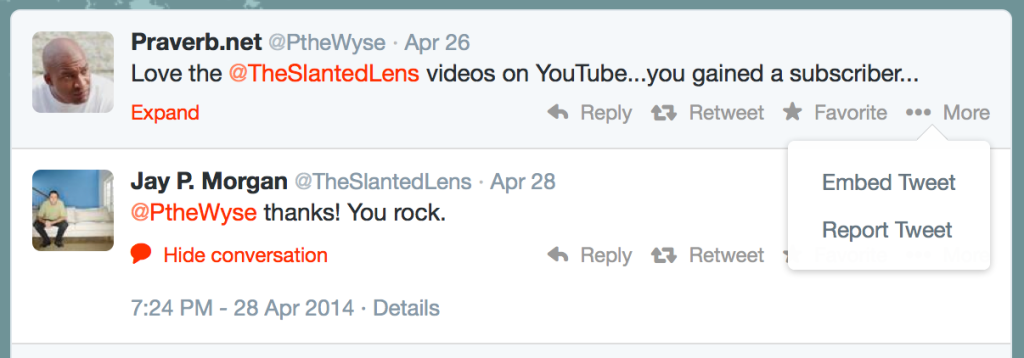
1. Go to the person’s tweet. Click more. Click embed.
2. Copy the embed code.
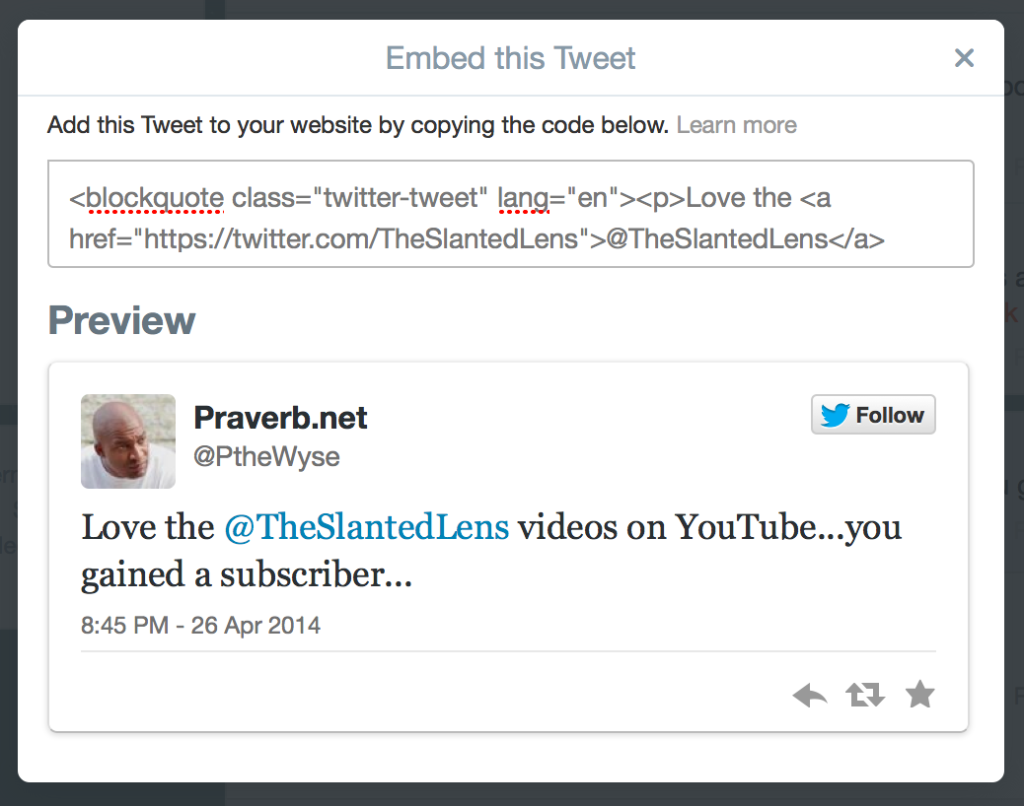
3. Paste it on your website.
Love the @TheSlantedLens videos on YouTube…you gained a subscriber…
— Praverb.net (@PtheWyse) April 27, 2014
For WordPress Users
If you’re using WordPress, it will look awful like this. (We’ll show you how to fix that.)
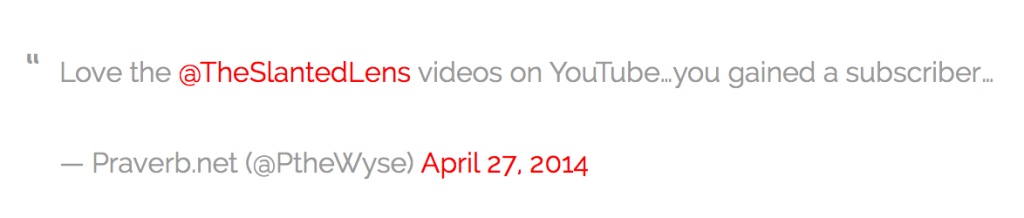
WordPress has an automatic workflow, so you just need the tweets URL.
1. Click expand on the tweet.

2. After the date, it says “Details.” Click there.
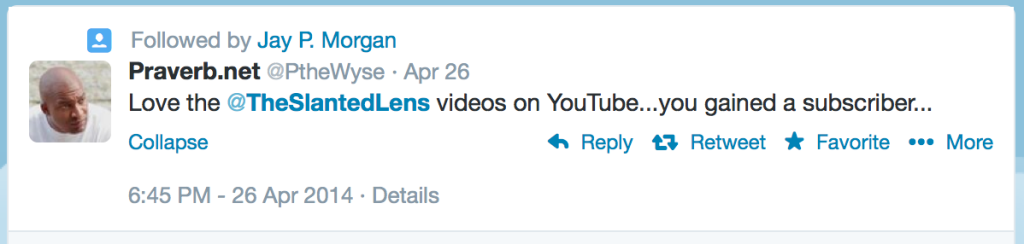
2. Copy the URL.
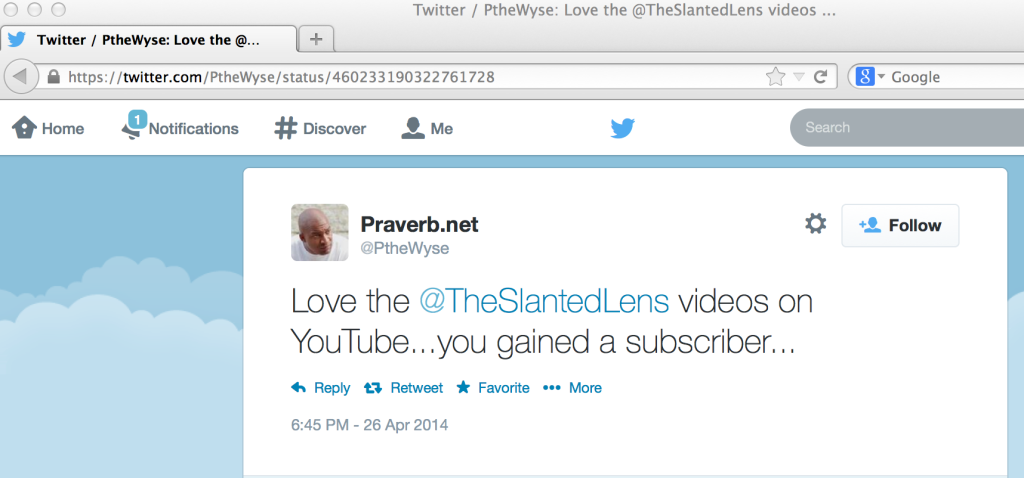
3. Paste it onto your WordPress site on its own line by itself. It will look like this after you publish the post.
Love the @TheSlantedLens videos on YouTube…you gained a subscriber…
— Praverb.net (@PtheWyse) April 27, 2014
How can you get people to tweet you a review?
If you don’t have any reviews on twitter, don’t despair. Let’s get you some this week! Here are some ways you can get reviews if you do portrait, wedding, or small business work.
For commercial photographers, on your next shoot, write a tweet about how great it is to work with @AlexArtDirector or @SierraCelebrity for @PopularMagazine or @PopularBrand. Hopefully, they will return the favor and say something nice. *****Don’t do this if you have signed any confidentiality agreements that say you should not do this. If you aren’t sure, ask. Sometimes they love it. Sometimes they’ll fire you.
You might be able to send in behind the scene pictures from a shoot for a trendy brand for them to make a blog post on their own site. When they tweet that out, you’ll be able to use that tweet.
What else can you think of? You only have 140 characters. So use them wisely.
If you really want to improve your online presence and be held accountable for your work, check out the TSL Business Coaching Class. In our business coaching class, we are going to help you build up your online presence, starting with your website. And then help you build your blog and social media the right way, so you can attract more customers or get to your target list of art directors. If you’d like to continue to improve your business, sign up.